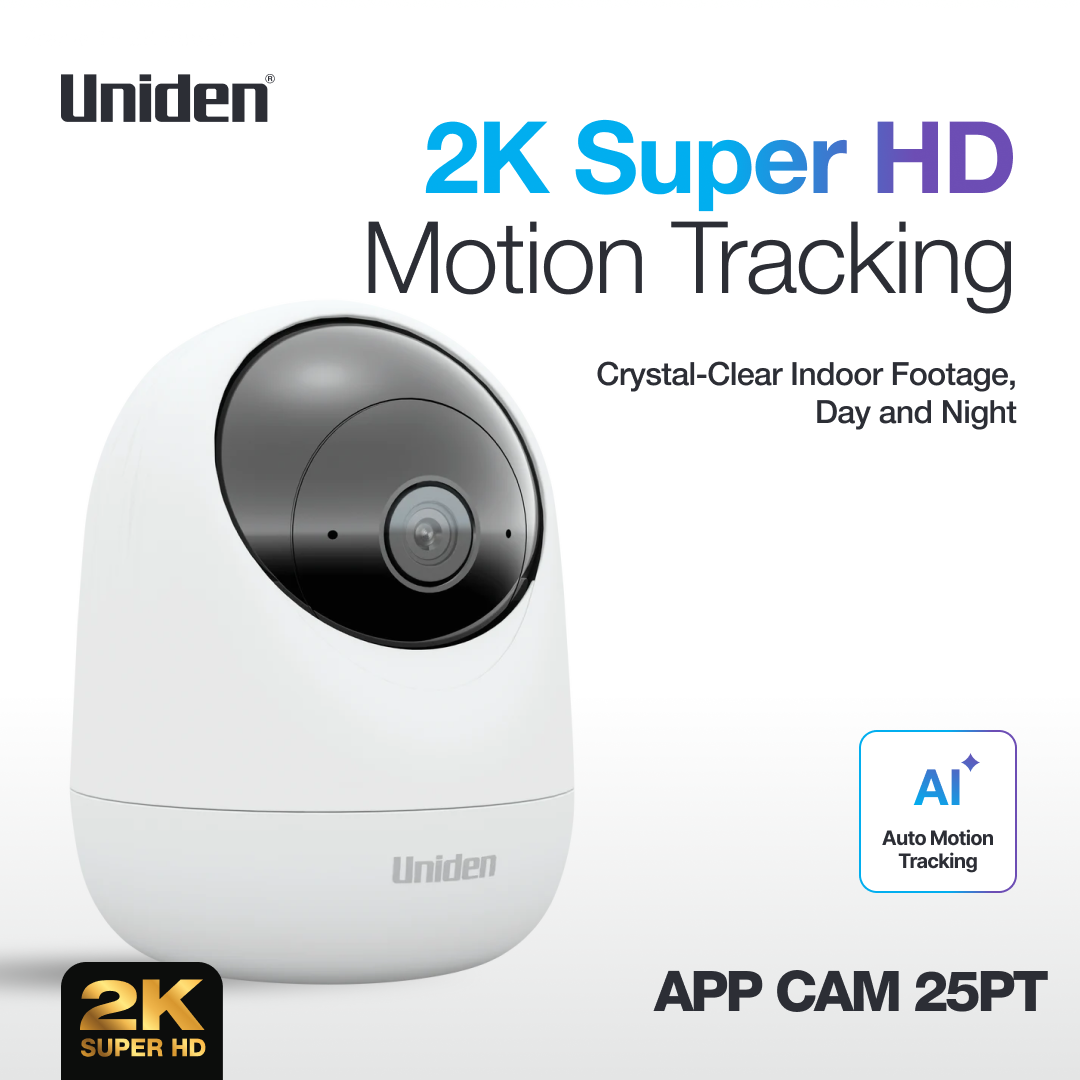
Auto Motion Tracking Internal Super HD (2K) Camera
FREE, 7 Days Of Rolling Cloud Backup.
Two-Way Talk
Motion Detection
AC Powered
Pan & Tilt Leave no blindspot uncovered
Related Products
APP CAM X25PT
$69.95
Key Features
Auto Motion Tracking Internal Camera
Two-Way Talk
2K Super HD Resolution
Ideal for Pet Monitoring and Safeguard Loved Ones
FREE 7 Days of Rollings Cloud Backup
No Monthly Fee
No Contacts
Easy Setup
Plug it in!
355° Pan & 95° Tilt
Night Vision
Pre-Motion Recording
Motion Detection and Zone Selection
Motion Detection Record
What's in the box
1 X Uniden App Cam X25PT Camera
1 X AC Power Adapter
Overview
Uniden has updated its home security range with a cloud based, 2K Super HD (4MP), home security camera called App Cam X25PTWith a new and contemporary design, the App Cam HOME + can be placed anywhere indoors to keep watch over different rooms and open plan areas.
With a 355° pan and 50° tilt rotation, the camera provides greater flexibility and a wider viewing area when positioned around the home.
Simply plug in to power and connect to the WiFi for a reliable and continuous connection. The 2K Super HD resolution allows users to record and view footage with exceptional clarity, securely accessed from anywhere in the world via the dedicated My Uniden Plus app.
The app-enabled camera can be operated remotely using a smart device to change the viewing angle, delivering more coverage than a static lens camera.
The smart camera features pre-motion recording, capturing footage four seconds before motion is detected so the entire incident is recorded.
It is also compatible with Google Assistant and Alexa, so users can conveniently view footage and operate the camera using voice control. Additional features, such as Two Way Talk functionality, enable real-time conversations with family – or pets – while at work or away for extended periods.
Footage can be stored directly to SD card or the Uniden Cloud ensuring important moments are captured and available to replay when required.
The camera also has privacy masking to black out areas within the camera’s view that users do not want recorded. Uniden offers seven days of cloud backup which is rolled over every seven days.
Disclaimer
How to Report a Security IssueTo report a potential security vulnerability, please contact our Product Security Team with the relevant details.Email:uausrand@uniden.jpWhen submitting a report, please include the following information where possible:
Product name and model number
Firmware or software version (if applicable)
Description of the vulnerability
Steps required to reproduce the issue
Any supporting material (screenshots, logs, proof-of-concept code)
Your contact details so our team can follow up if required
Providing clear and detailed information will help our team investigate the issue efficiently.What Happens After You Report an IssueOnce a vulnerability report is received:
Acknowledgement – We will acknowledge receipt of your report.
Assessment – Our security team will review and validate the vulnerability.
Investigation & Resolution – If confirmed, we will work to resolve the issue through updates, patches, or mitigation strategies.
Status Updates – We will keep you informed on the progress of the investigation and resolution where appropriate.
Responsible DisclosureWe ask that any potential vulnerabilities be reported to Uniden Australia privately and not disclosed publicly until we have had a reasonable opportunity to investigate and resolve the issue.We appreciate the efforts of security researchers and members of the community who help improve the security of our products.Customer SupportIf you require product support unrelated to security vulnerabilities, please visit ourCustomer Support section or contact our support team.
Some jurisdictions and authorities may regulate the use of surveillance products. It is the buyers responsibility to ensure they comply with the appropriate regulations when using this product. Specifications Subject to Change Without Notice. See Uniden Website for any changes: uniden.com.au * IP65 Weatherproof is defined as no ingress of dust; complete protection against contact (dust tight) and Water projected in jets (6.3mm nozzle) against the enclosure of the camera from any direction shall have no harmful effects. # WiFi range (Distance) is all dependent on your router’s capability, which will affect your network coverage. If you need to extend your network coverage many third party range extenders are available that improve distance and eliminate black spots. Range Performance is affected by factors such as: full brick walls, tin roofs & large or multi-story houses. ^Both smartphone/tablet and the camera will require internet connection for this feature to work. † Minimum Network Bandwidth Requirements: For optimal performance of the smartphone app we advise a minimum network bandwidth of 4Mbps for 2k (1440P) live stream, 2Mbps for FHD (1080P) live stream and 0.8Mbps for 512P live stream. If these bandwidth requirements are not met the live stream may not connect and will not be viewable on your smartphone. Motion Detection: Motion detection can be triggered by the PIR sensor in the camera. The PIR sensor only detects objects with heat up to 10 metres away and in the line of sight. At night, or in darkness, monitor motion detection sensitivity is not as effective as in daylight hours, as it relies on night vision capabilities. ∆ Subscription needs to be renewed every month. For cloud recording, only motion recordings will be uploaded to cloud. ◊ Based on Full Capacity Rechargeable Lithium Battery with one (1) detection a day only. All brand names are registered trademarks of their respective owners. Apple and the Apple logo are trademarks of Apple Inc., registered in the U.S. and other countries. App Store is a service mark of Apple Inc. Google, Android, Google Play, Google Play logo and other related marks and logos are trademarks of Google LLC. Amazon, Alexa and all related logos are trademarks of Amazon.com, Inc. or its affiliates. ‡ Requires a Google account, Chromecast-enabled device and Wi-Fi network. ˇ Spotlight Colour 6500K and Spotlight Brightness 230lm. All diagrams, product photography are for illustration purposes only. Some products may vary at the time of production. Please note a Smartphone or tablet is needed to access remote footage of the camera.
Operation Manuals & Downloads
Operation Manual
Download the complete operation manual for this product
Normally the new batteries for App Cam Solo can last: Stand-by: 6 months, based on 1 Detection A Day. Constant working: 11 hours for day session or 6 hours in night mode. Working duration of batteries from different brands may be different.
What is the battery life?
The battery's life depends on if it is working in daytime or at night. It can work about 650 mins at daytime and 400 mins at night.
Can I power off the camera? How do I do so?
There is no power button on the camera or power off option in Uniden Solo App. If you want to power off the camera, please take out all the batteries.
Can I replace the SD card? What is the maximum SD card storage supported?
It is advisable to use SD card rated for surveillance purpose and the maximum storage supported is 256GB.
Do I need to use a micro SD card?
If you don't use a micro SD card for this camera, you can save recordings manually via the mobile APP which will reduce the life of the battery. If the camera works with an SD card, when the camera detects the motion events, it will automatically save the recordings to the SD card. So we recommend using a micro SD card.
Can APP CAM X25PT record to its SD card without a WiFi connection?
Yes, this camera can record motion detection to SD card without a WiFi connection, but you need to activate this camera via WiFi or hotspot when you first get it.
Related Articles & Resources
Learn more about this product with our helpful guides and articles.