

Dash cams
More resolution is useful. The right view is essential.
Understand the limits of headline resolution and compare the recording mode you will actually use.
TL;DR
- A higher-resolution mode can provide more recorded image detail under suitable conditions.
- No resolution label guarantees readable number plates in every scene.
- Compare each active camera and its supported mode; the headline front resolution does not apply to every lens.
- Lighting, distance, motion, mounting and storage all matter alongside resolution.
A 5K or 4K label tells you something about a supported recording format. It does not tell you everything about the footage you will get on a moving road, at night or with several cameras active.
Compare resolution together with camera coverage, supported combinations and installation. That gives you a better buying decision than assuming the highest front number always produces the most useful incident record.
Read the recording format, not just the label
Check the exact modes the camera supports. A front-only mode and a front-plus-rear mode may have different settings. If a cabin camera is added, check that combination too.
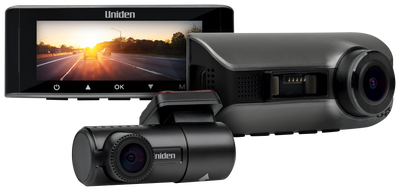
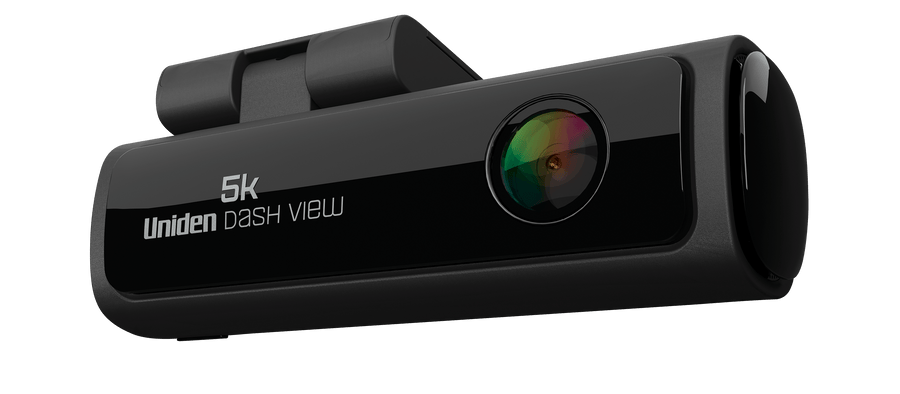
The Dash View 60+ is listed for 5K front recording. The 60R is listed for 4K front and 2K rear. Those are different coverage priorities rather than a simple ranking of complete systems.
Use the 60+, 60R and 40R comparison to compare the cameras with the views you intend to record enabled.
Why number plates are not guaranteed by resolution
A number plate can occupy only a small area in a wide road view. Distance, the angle of the vehicle and movement affect the information captured in that area. Lighting and reflections add more variation.
A higher-resolution recording can preserve more detail in suitable conditions, but it cannot reveal information the camera did not capture clearly. Low light, motion blur or glare can remain limiting factors.
Judge a saved clip rather than only a live preview or a marketing image. Look at footage from an ordinary route in both daylight and darkness, and check the results from the views you actually use.
A second view can add information that more front detail cannot
If an incident occurs behind the car, extra front resolution does not show it. A rear recording supplies a different view. Cabin footage supplies another view again.
The practical question is which recordings would help you understand the event. For some drivers, front detail is the priority. For others, front-and-rear coverage provides a more useful record.
That is why the 60R front-and-rear package and the 40R with cabin camera should be compared by role as well as resolution.
Check the recording mode with all cameras active
The 40R manual makes this especially clear. It lists a two-camera 4K + 1080p mode and three-camera options up to 1600p + 1080p + 1080p. The three-view configuration should not be described using the two-camera front-resolution headline.
Select the mode you intend to use before comparing sample footage or estimated retention. When checking another model or an updated firmware version, use its current instructions and supported settings.
Record a short test with your selected combination. Check all the resulting views, rather than opening only the front file and assuming the others match it.
Higher-resolution settings also affect recording storage
Retained recording time depends on the chosen mode, encoding and card capacity. More cameras and more demanding settings can change the storage requirement.
Use compatible endurance storage that meets the model's card specification. Save important clips before older unprotected recordings are overwritten. Before formatting, copy any material that needs to be kept.
Our dash cam footage saving guide covers retrieval through the app and card. A usable recording includes a reliable way to preserve it.
A practical recording test after installation
- Check the selected resolution and active cameras.
- Record a familiar route in daylight and after dark.
- Review the saved front, rear and cabin files where fitted.
- Check glass cleanliness, reflections and camera angle.
- Download a file and confirm it opens away from the camera.
Use the Uniden dash cam buying guide to bring coverage, power and storage into the same decision. Resolution works best as part of that complete setup.
Frequently asked questions
Is a 5K dash cam always better than a 4K front-and-rear camera?
They serve different requirements. Higher front resolution can add detail, while a rear camera records a view the front camera cannot see.
Will 4K or 5K guarantee that I can read every number plate?
No. Lighting, movement, angle, distance and installation affect the result alongside recording resolution.
Do all cameras record at the front camera's resolution?
No. Check the supported front, rear and cabin combination. Each stream can have a different resolution.
Why might a front resolution change when I enable the cabin camera?
The camera supports particular combinations of recording streams. Use the current mode list for the device rather than applying a front-only or two-camera label to every configuration.
Compare detail and coverage together.
Look at the recording role of each model before making your choice.
5K and 4K recording: examples from published reviews
Read a front-only 60+ review and EFTM's explanation of recording changes when the rear camera is attached. Headline resolution does not guarantee plate identification at every distance.
Media coverage


Share:
Dash Cam Parking Mode Hardwiring Power
Continuous Recording vs Motion Detection Onwatch