

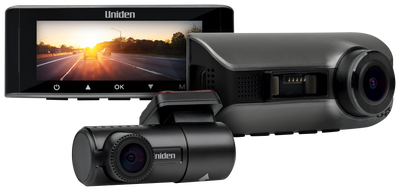
Dash cams
Three models. Three different coverage priorities.
A direct comparison of three Uniden dash cams, centred on the views they record and the supported combinations.
TL;DR
- 60+: listed 5K front recording, with no rear camera listed in the standard box contents.
- 60R: supplied front and rear cameras, listed as 4K front and 2K rear.
- 40R: front, rear and cabin; the manual lists up to 1600p front in three-camera mode, versus a two-camera 4K mode.
- All three need the correct powered installation for parking functions and model-compatible storage.
The Dash View 60+, 60R and 40R are easiest to compare by the views you need. The 60+ prioritises a high-resolution front recording. The 60R supplies a front-and-rear setup. The 40R adds a cabin view.
That difference is more useful than ranking them by the front camera's headline resolution alone. Adding cameras can change the supported recording mode, and the package contents also affect your installation.
Compare the features that affect the buying decision
| Decision | 60+ | 60R | 40R |
|---|---|---|---|
| Primary coverage | Front | Front and rear | Front, rear and cabin |
| Headline recording | 5K front | 4K front + 2K rear | 4K front in supported two-camera mode |
| Three-camera detail | Not this model's role | Not this model's role | Manual lists up to 1600p + 1080p + 1080p |
| Card listed in box | 64GB | 64GB | 32GB |
| App in reviewed manual | Uniden Dash View | Uniden Dash View | Uniden DV |
| Parking power | Correct hardwire setup | Correct hardwire setup | Correct hardwire setup |
Check the current product package and manual before purchase. Do not treat a generic FAQ shared across products as the specification for the model you are comparing.
Choose the 60+ when front recording comes first
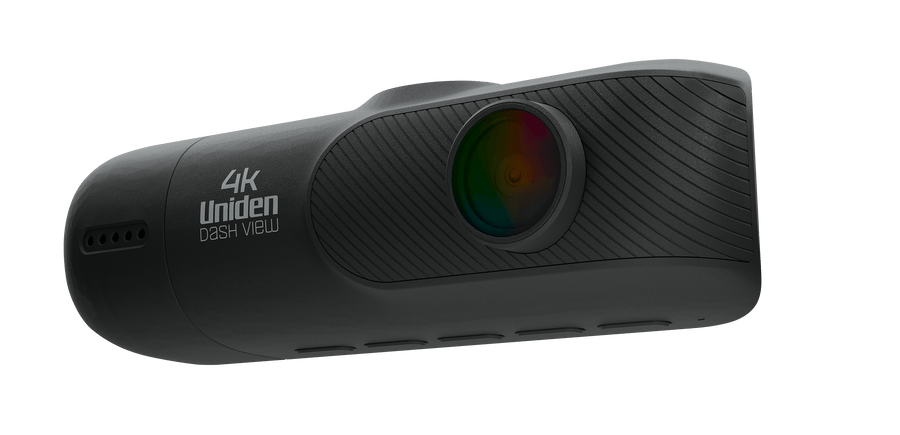
The 60+ is worth investigating when your main requirement is a high-resolution view of the road ahead. Its current listing specifies 5K front recording, Wi-Fi transfer and a 64GB card in the package.
The standard box list does not include a rear camera. If you want front-and-rear coverage from the outset, compare the complete 60R package instead of assuming “60+” means the same supplied equipment.
Higher front resolution is only part of useful footage. Camera position, lighting, movement and distance still affect the detail you can retrieve. See the 5K versus 4K resolution guide before deciding that the largest number solves every recording requirement.
Choose the 60R for front-and-rear road coverage
The 60R combines the supplied front and rear cameras in one package. Its product listing specifies 4K front and 2K rear recording, giving the model a clear role when you want to record both directions.
That rear view can show activity that a front camera cannot. The installation still needs a suitable rear position and a cable route that follows the instructions for the vehicle and camera.
Think about what the rear window actually shows. Tint, reflections, items inside the vehicle and the camera angle can affect the view. Test a saved rear recording after installation rather than assuming the supplied rear camera guarantees a useful image in any position.
Choose the 40R when cabin footage matters
The 40R adds an internal cabin camera to the front and rear views. This may be useful when the activity you want to document includes the inside of the vehicle as well as the road.
The important qualification is the recording combination. The reviewed manual lists 4K + 1080p for two-camera recording. Its listed three-camera options include up to 1600p + 1080p + 1080p. It should not be presented as recording 4K front, Full HD rear and Full HD cabin simultaneously in that documented mode.
Decide whether the extra cabin view is the priority. A three-view record can answer a different question from a two-view record with higher front resolution. Select the camera combination you need, then check the supported settings with those cameras enabled.
When using cabin recording, consider how you will inform passengers and manage saved recordings. Avoid making legal assumptions from the fact that the hardware includes a microphone or cabin camera.
Compare parking recording by power and mode
These models' parking functions require the appropriate external power and settings. A camera connected only to a socket that switches off with the ignition should not be assumed to keep monitoring the parked car.
The supercapacitor helps the camera save a recording when power is removed; it does not supply an overnight recording battery. Check the correct kit for the model and ask the installer to demonstrate its parked behaviour.
Read the dash cam parking mode guide for the documented differences between collision recording and time-lapse options. Decide whether that parked recording is part of your requirements before scheduling installation.
Storage and retrieval should be part of the comparison
The included card is a starting point. Supported capacity and card requirements differ by model, and a larger card does not repair poor positioning or a missed recording.
Learn the correct app workflow and confirm that a downloaded file plays from your phone's storage. Use the footage saving guide before an important incident depends on finding a file quickly.
Save the views surrounding an event, not just one clip you happened to notice. Loop recording can overwrite older unprotected footage as the card fills.
A clear way to choose
Pick the 60+ for its front-recording priority, the 60R for supplied front-and-rear coverage, or the 40R when a cabin view adds the information you need. Then confirm the operating mode, mounting arrangement, storage and parking power.
Our Australian dash cam buying guide brings those decisions together. The right purchase is the model whose recordings match the views you need to review.
Frequently asked questions
Is the Dash View 60+ supplied with a rear camera?
A rear camera is not listed in the current standard box contents. The 60R package explicitly lists a rear camera. Check the exact package if ordering a bundle.
Does the 40R record 4K in three-camera mode?
The reviewed manual lists up to 1600p + 1080p + 1080p in three-camera mode, and a separate 4K + 1080p two-camera option. Check the mode available on the current device.
Which app should I use?
The reviewed 60+/60R manual names Uniden Dash View; the 40R manual names Uniden DV. Follow the current manual for the exact camera.
Which is the best front-and-rear option here?
The 60R is the package to investigate when supplied front-and-rear road coverage is the priority. The 40R adds a cabin view with a different supported three-camera recording mode.
Choose the camera around the view you need.
Check the current packages, then confirm the recording mode and installation.
Compare reviews of the 60+, 60R and 40R
Use these reviews to compare front-only, front-and-rear, and cabin coverage alongside the current model manuals. Current manuals govern enabled-camera resolution combinations.
Media coverage


Share:
Dash Cam Parking Mode Hardwiring Power
Continuous Recording vs Motion Detection Onwatch