

Security cameras
No home Wi-Fi? Choose the 4G camera around the job.
Compare the 4G Pro's recording and tracking features with the Plus's magnetic mounting design, and decide what your site actually needs.
TL;DR
- Both models use a compatible Nano SIM and paid data plan rather than home Wi-Fi.
- Choose the 4G Pro for documented OnWatch recording and automatic motion tracking.
- Consider the 4G Plus for its compact design, 300° horizontal pan and magnetic mounting bracket.
- A separate solar panel is included in the Pro kit; check the Plus accessory or bundle. Coverage and charging must be tested on site.
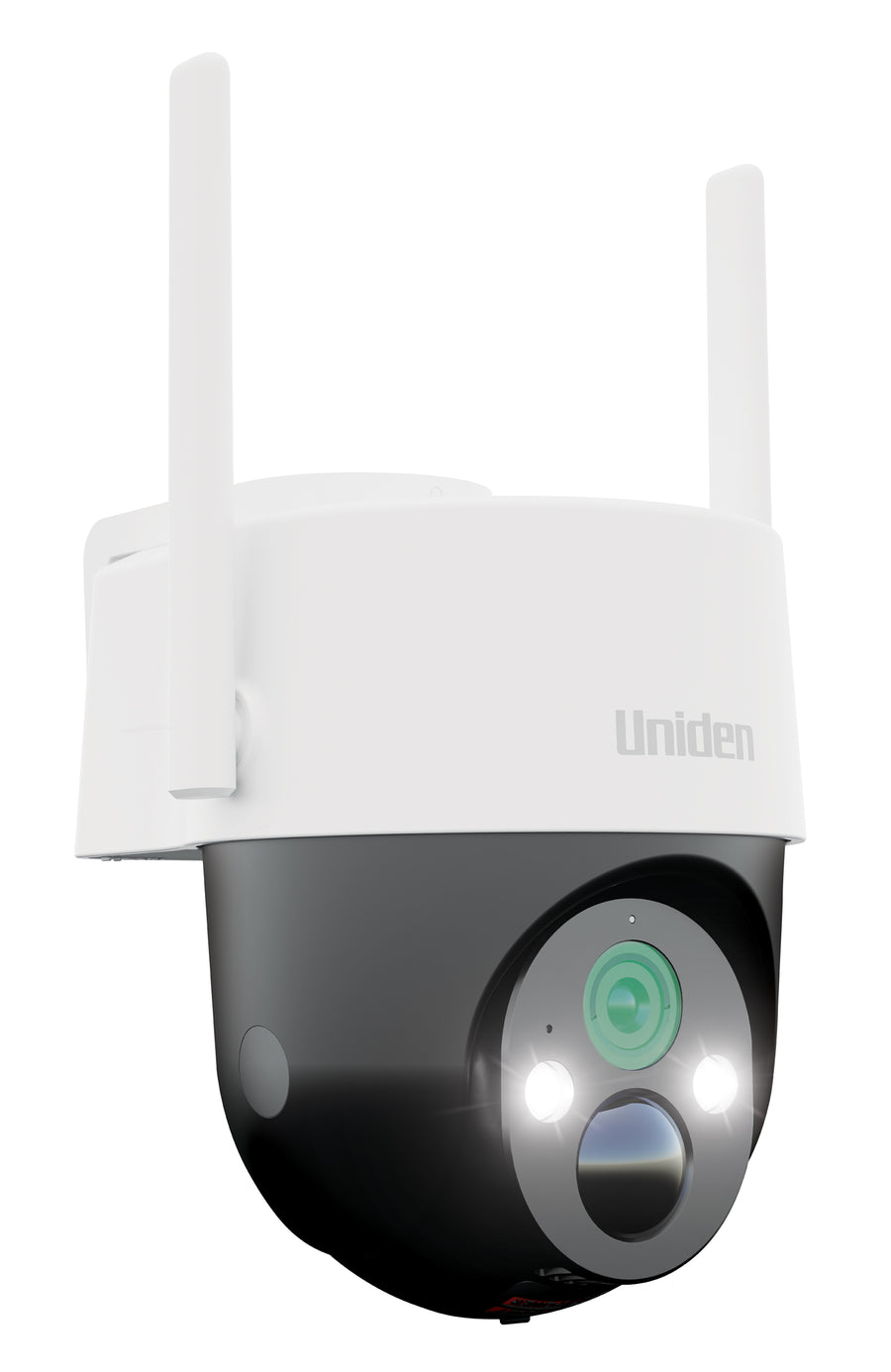
A camera at a farm gate, machinery shed or temporary site may sit well beyond the reach of your home Wi-Fi. The SOLO X2K 4G Pro Kit and SOLO X2K 4G Plus use 4G connectivity to make remote monitoring possible at a suitable mobile-covered location.
They are different products with different strengths. The Pro centres on OnWatch recording and automatic motion tracking. The Plus offers a compact form, remote pan and a magnetic mounting arrangement. Start with the view, recording method and mounting position you need, then compare the equipment.
The important differences at a glance
| Question | SOLO X2K 4G Pro Kit | SOLO X2K 4G Plus |
|---|---|---|
| Connection | 4G LTE with Nano SIM | 4G LTE with Nano SIM |
| OnWatch timeline | Documented in the manual | Not listed in the reviewed feature set |
| Automatic tracking | Listed as a feature | Not listed in the reviewed feature set |
| Remote movement | Pan and tilt | Up to 300° horizontal pan |
| Mounting | Screw mounting arrangement | Magnetic bracket with mounting hardware |
| Included local card | 32GB microSD | 32GB microSD |
| Separate solar panel | Listed in the kit contents | Not listed in the standard box contents; check bundle |
The distinction is about the work you want the camera to do. Remote movement, automatic subject tracking and continuous background recording are separate functions; one does not establish the presence of the others.
Choose the 4G Pro when the recording timeline matters
The Pro is the stronger match in this comparison when you want a documented OnWatch timeline alongside motion events. That can help you review the scene around an alert, rather than relying on the event recording alone.
Its manual describes a default background interval of one frame every two seconds, with other intervals available. This is a time-lapse-style timeline, not a claim that every second of the day is stored as full-frame-rate video. The motion-event functions work alongside it.
Automatic tracking adds another useful tool when a person or vehicle moves through the available scene. It can follow activity that the camera detects, but it still needs an unobstructed view and an installation that suits the approach.
Read what OnWatch captures and how it differs from motion detection before choosing a recording mode. If keeping wider context is central to your purchase, the 4G Pro kit is the model to investigate first.
Choose the 4G Plus around its mounting and monitoring role
The Plus combines a compact camera with a magnetic mounting bracket and remote horizontal pan. That can be useful where a practical mounting surface is available and you want to inspect more than one part of the scene from your phone.
A magnetic mount still needs a suitable surface and a secure installation. Follow the bracket and locking instructions in the manual rather than treating any convenient metal surface as a finished mounting position.
Think of a shed entrance or another area where you want to check a view, receive motion events and make a remote adjustment. Do not assume the Plus includes Pro functions just because both belong to the SOLO X2K family. OnWatch and automatic tracking are not listed in the Plus documentation reviewed for this comparison.
Confirm the exact package you are ordering. The current Plus box list includes the camera, card, bracket, cable and mounting hardware. A separate panel is not listed there, and its manual discusses optional external solar panels. Check compatibility and bundle inclusions if that accessory is part of your planned setup.
Which model suits a gate, shed, site or holiday property?
A farm entrance or driveway approach
Identify the part of the approach you need to see. The Pro is worth considering when tracking and background context matter. Place the camera to capture the entrance rather than expecting one unit to observe a whole paddock or fence line.
A machinery shed
Both models merit a coverage check at the actual shed. Metal cladding and nearby structures can affect a mobile connection. Choose the recording features first, then confirm whether the mounting and solar arrangement suit the available surfaces.
A temporary worksite
The site layout can change as the job progresses. Recheck the camera view, connection and sunlight when equipment, fencing or buildings move into the area. A good installation on day one may need adjustment later.
A holiday property
Plan how you will check the camera between visits. Remote viewing depends on an active mobile service; charging depends on the physical installation. A camera is more useful when those routine checks are part of the setup.
Budget for mobile data separately from camera storage
Both cameras need a compatible active SIM and mobile data plan. A free cloud tier does not supply mobile connectivity, and recording to the local card is not the same as streaming everything through the cellular network.
Live viewing, downloading recordings and cloud uploads can use data. The amount depends on how you use the camera and its settings. A quiet gate checked occasionally and a busy site watched repeatedly should not be given the same assumed monthly allowance.
Check SIM compatibility, service expiry and the carrier's usage reporting. Measure your own use during the first billing period, especially if several people will view the camera.
The 4G camera SIM and data guide gives you a practical setup sequence without assuming that one plan fits every property.
Solar charging is a placement decision
The Pro's separate panel lets you consider the camera view and the sun exposure independently, within the supplied cable and mounting requirements. That helps where the best camera position is shaded for part of the day.
For either model, check the charging arrangement against the model instructions and the equipment you have purchased. Do not infer that a particular external panel is compatible from the connector shape alone.
Review shade, weather, live-view habits and event activity if the battery trend declines. The solar-camera battery guide provides a simple way to work through those factors. A solar setup should be assessed during use, rather than described as maintenance-free under all conditions.
Test the mobile connection before final mounting
A coverage map is a starting point, not a test of your exact installation. Check the network at the proposed position and complete a camera connection test before fixing the final mount.
Open live view, check a saved event and confirm that notifications arrive. Repeat the test at the place where the camera will actually sit. Moving a few metres away from a wall or metal structure may change the result, but any alternative position still needs to capture the important approach.
A 4G camera cannot provide dependable remote access where there is no suitable mobile service. If you already have reliable Wi-Fi at the location, the Wi-Fi PT Pro may be a better match. See the Wi-Fi versus 4G comparison before committing to a connection type.
A straightforward buying decision
Choose the 4G Pro when OnWatch recording and automatic motion tracking are the features you need, and the kit's separate panel can be positioned effectively. Choose the Plus when its mounting design and remote monitoring functions fit the job, after confirming the charging equipment you will use.
For both, the final test is practical: can the camera see the relevant entrance, connect through the mobile network, charge appropriately and save a recording you can retrieve? Answer those questions before comparing optional extras.
Frequently asked questions
Do these cameras need a home internet connection?
They use 4G rather than your home Wi-Fi. Remote access still requires compatible mobile coverage, an active SIM and data service, plus an internet connection on your viewing device.
Is the 4G Plus the same camera as the 4G Pro?
No. The Pro documents OnWatch and automatic tracking. The Plus has a different design and feature set, including its magnetic mounting bracket and horizontal pan.
Does the Plus include a separate solar panel?
A separate panel is not listed in the current standard box contents. Check the selected bundle and compatible accessories before purchasing.
Will a 4G camera work at any remote property?
Only where a compatible mobile connection is available at the camera's location. Test the site rather than relying solely on a coverage map.
Is there a fixed monthly data requirement?
Usage varies with live viewing, uploads, downloads and settings. Monitor the actual usage through the mobile service rather than relying on a universal allowance.
Choose the 4G features your property needs.
Compare the current packages and confirm coverage before mounting.
Read the 4G Pro and 4G Plus hands-on reviews
EFTM has reviewed both models, covering installation and use at the reviewer's chosen locations.
Media coverage


Share:
Solo X2K PT Pro Kit & Solar Panel Wifi Security Camera Guide
Introducing the Uniden iGO CAM 90R Dash Cam & Hardwire Kit Bundle