



Security cameras
The right connection is the one that reaches your camera.
Choose the network at the camera's location before choosing the camera. Here is a clear comparison of Wi-Fi and 4G.
TL;DR
- Use Wi-Fi when a dependable compatible home network reaches the mounting point.
- Use 4G when the location has suitable mobile coverage but no useful Wi-Fi connection.
- 4G adds SIM and data costs. Solar power and local storage are separate decisions.
- Test the location with the camera before finishing the installation.
A security camera can be wireless in more than one sense. It may run on a battery, connect to a wireless network, or do both. That is why choosing between Wi-Fi and 4G needs a closer look than the word “wireless”.
A Wi-Fi camera connects to a router. A 4G camera connects to a compatible mobile service. For remote access, both need a working internet path. The better option is the one that can reliably serve the camera's actual position.
Wi-Fi and 4G compared
| Consideration | Wi-Fi | 4G |
|---|---|---|
| Camera connection | Your router and broadband service | Compatible mobile network and SIM |
| Common location | Home approaches within network range | Sheds, gates and sites with mobile coverage |
| Connection cost | Uses the broadband service you have | Needs a mobile data plan |
| Main installation check | Signal and network compatibility at the mount | Service compatibility and mobile signal at the mount |
| Solar operation | Depends on camera and charging equipment | Depends on camera and charging equipment |
When Wi-Fi makes sense
Wi-Fi is a practical starting point for a front door, driveway or side gate near your home network. You can use the broadband connection already serving the property rather than opening another mobile service.
The distance on a floor plan is only part of the picture. Walls, metal cladding and building layout can affect coverage. Test the mounting point and the camera connection rather than judging it from your phone beside the router.
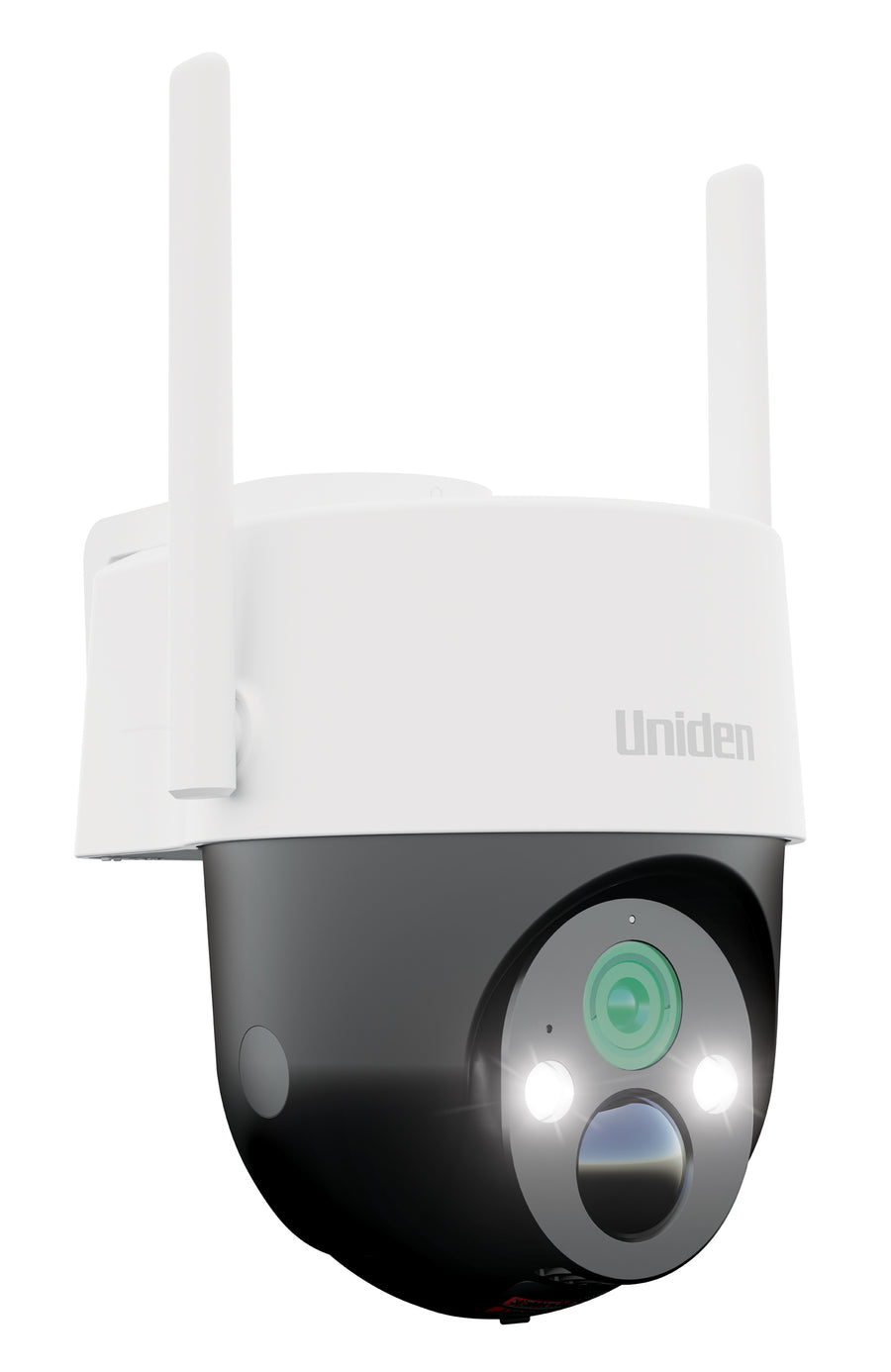
The SOLO X2K PT Pro is the Wi-Fi Pro model in this cluster. Its manual specifies 2.4 GHz Wi-Fi. Our PT Pro guide covers its recording features and installation checks.
When 4G makes sense
4G is worth considering at a shed, entrance or temporary site where your router cannot provide a reliable connection. The camera uses its SIM and mobile data service instead of your home Wi-Fi.
Check the service at the installation position. A mobile coverage map can help narrow the choices, but a wall, terrain or the mounting location can affect the connection you actually receive.
Compare the SOLO X2K 4G Pro and SOLO X2K 4G Plus around their different recording and mounting features. The 4G Pro versus Plus guide explains that decision in detail.
Compare the cost of the connection and the recording service
Camera hardware, mobile data, broadband and optional cloud upgrades are different costs. A camera with included cloud backup can still need a paid internet service to upload events and provide remote access.
For 4G, usage depends on live-view time, uploads and downloads. Monitor the carrier's usage reporting rather than assuming every installation needs the same plan. Our SIM and data setup guide explains what to check.
For Wi-Fi, check the service you already have and whether the camera can connect reliably. Do not buy a different camera merely because a broadband plan sounds faster; the outdoor signal can still be the limiting factor.
Connection type does not tell you what gets recorded
A 4G connection does not automatically mean continuous recording, and Wi-Fi does not automatically mean motion-only recording. Those are model features. The Pro cameras in this cluster document OnWatch; the Plus has a different feature set.
The card, cloud service and connection also have separate roles. A local recording is not necessarily a full cloud copy. Read OnWatch and motion recording explained when a continuous timeline is part of your requirements.
A five-point connection check
- Identify the exact entrance or area the camera must see.
- Check compatible Wi-Fi or mobile service at that position.
- Pair the camera and open live view before final mounting.
- Test saved recordings and notifications while away from the site's Wi-Fi.
- Confirm the solar or charging arrangement and watch the battery trend.
A property can use both connection types. A Wi-Fi camera near the house and a 4G camera at a distant gate may be more practical than forcing one network to reach every location.
Frequently asked questions
Can a Wi-Fi camera work without broadband?
Remote access needs a working internet connection. Local recording behaviour depends on the model and settings; do not assume remote viewing works because the camera has a memory card.
Does a 4G camera need a router?
It uses a compatible mobile service through its SIM rather than the home's Wi-Fi router.
Can I use Wi-Fi and 4G cameras on one property?
Yes, you can choose the connection for each installation. Check app compatibility and features for the exact models rather than assuming all Uniden generations use the same app.
Does 4G mean the camera has no running costs?
No. A mobile data service has its own cost, separate from included camera storage or optional cloud services.
Choose by coverage, then choose by features.
Check the Wi-Fi Pro or compare the two 4G models.
Wi-Fi or 4G: further reading before you choose
Explore a retailer comparison of connection options and a hands-on review of the 4G Plus.
Media coverage


Share:
4g Security Camera Sim Card Data Setup
Solar Security Camera Battery Draining Charging Guide