

Security cameras
Good security starts with the right camera in the right place.
Start with the connection at your camera location, then choose the recording features and solar setup that suit your property.
TL;DR
- Choose the Wi-Fi PT Pro when reliable 2.4 GHz Wi-Fi reaches the mounting point.
- Choose the 4G Pro when you need OnWatch recording and automatic tracking away from home Wi-Fi.
- Consider the 4G Plus for mobile-network monitoring with a magnetic mount; check the solar accessory or bundle you are buying.
- 4G requires a compatible SIM, data plan and coverage. Solar charging depends on sunlight and camera activity.
The best solar security camera for your property is the one that can stay connected, keep its battery charged and record the area you actually need to see. A long feature list means little if the camera sits outside your Wi-Fi range or its solar panel spends the afternoon in shade.
This guide compares the roles of three current Uniden models: the SOLO X2K PT Pro, SOLO X2K 4G Pro Kit and SOLO X2K 4G Plus. It is a guide to choosing within the Uniden range, using published specifications and manuals.
1. Decide between Wi-Fi and 4G before choosing features
At a house with good outdoor Wi-Fi coverage, a Wi-Fi model can use the broadband connection you already have. At a detached shed, farm entrance or temporary worksite, that same connection may be unreliable or unavailable. A 4G camera uses the mobile network instead.
Neither option removes the need for a connection for remote viewing. Wi-Fi cameras need working broadband; 4G cameras need a compatible mobile service. Test the location you intend to use, rather than relying on coverage at the front door.
Our Wi-Fi versus 4G security camera comparison explains the practical trade-offs. If you have already chosen 4G, use the SIM card and mobile data setup guide before mounting your camera.
2. Match the Uniden model to the job
| Model | Connection | Main reason to choose it | Check before buying |
|---|---|---|---|
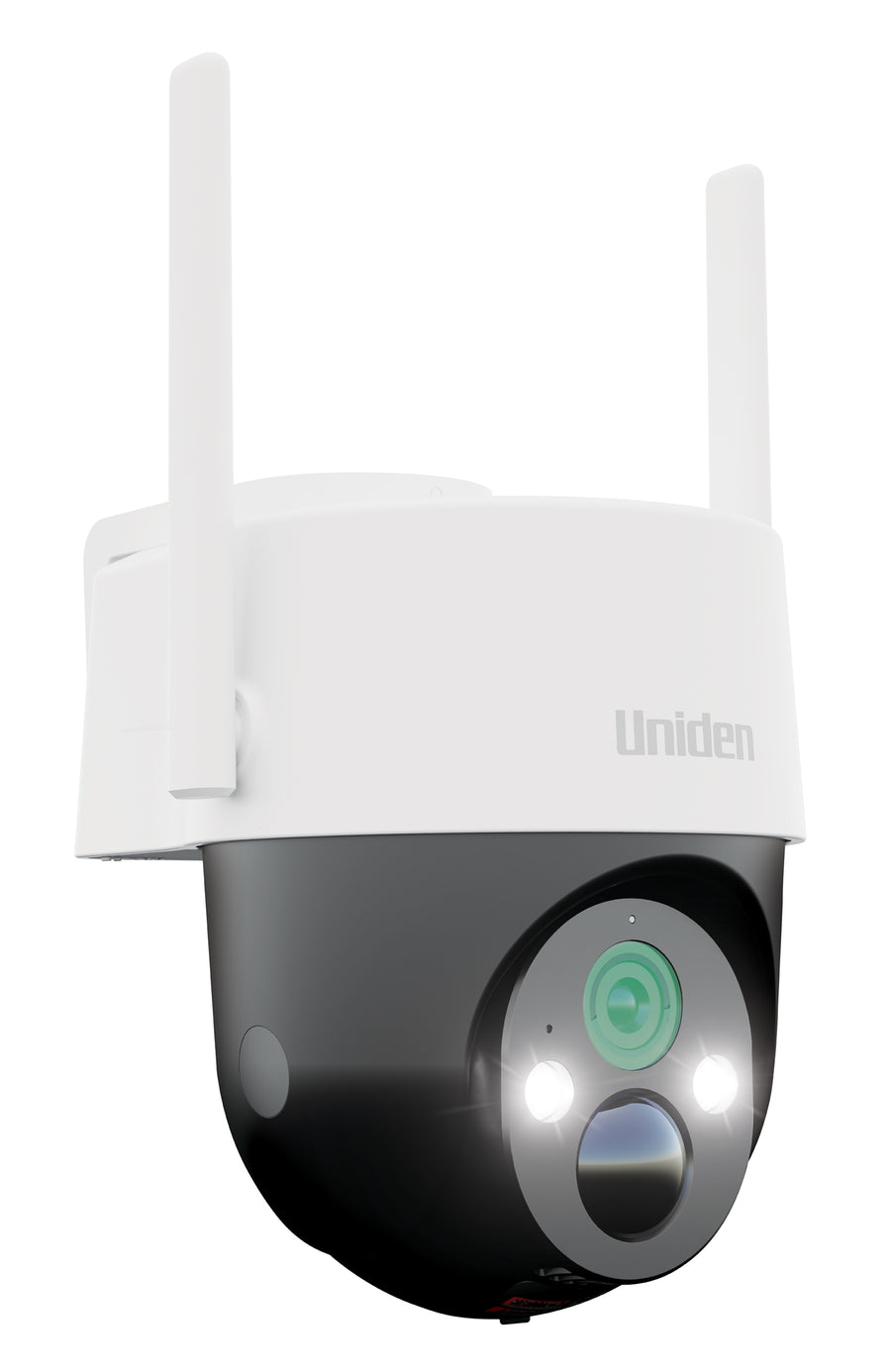
| SOLO X2K PT Pro | 2.4 GHz Wi-Fi | OnWatch recording and automatic motion tracking at home | Wi-Fi at the mounting point and sunlight for the included panel |
| SOLO X2K 4G Pro Kit | 4G LTE | OnWatch and tracking where home Wi-Fi is unavailable | SIM compatibility, mobile coverage and recurring data cost |
| SOLO X2K 4G Plus | 4G LTE | Remote monitoring with a compact camera and magnetic mount | Solar accessories and the recording functions required |
Both Pro kits list a separate solar panel and 32GB microSD card in the box. The Plus lists a 32GB card and magnetic mounting bracket; a separate solar panel is not listed in its standard box contents. Check the exact bundle rather than assuming every solar camera package includes the same equipment.
For the full model detail, read the Wi-Fi PT Pro buying and setup guide or our 4G Pro versus 4G Plus comparison.
3. Understand continuous recording, motion events and cloud backup
A motion recording captures an event when the camera detects activity. A continuous timeline helps you review the scene between those events. These serve different purposes: the event draws your attention to something; the timeline supplies wider context.
The Pro models add OnWatch. Their manuals describe a default background recording interval of one frame every two seconds, with selectable intervals. That produces a time-lapse-style timeline rather than full-frame-rate footage throughout the entire day. Motion recording and notifications work alongside it.
Local recording and cloud backup are separate. The seven-day free cloud service is for motion recordings, rather than a complete cloud copy of the continuous local timeline. See OnWatch continuous recording versus motion detection for a clear explanation of what to expect.
4. Plan the camera view and solar position separately
Your camera needs to see an entrance or approach. Your solar panel needs useful sunlight. Those requirements do not always point to the same spot. A camera under an eave may have a good view while a separate panel can be mounted where it receives more direct light.
Check morning and afternoon shade, seasonal changes and whether foliage could grow across the panel. Frequent activity, extended live viewing and more demanding recording settings can increase power use. A solar setup should be checked after installation and through different weather conditions.
A declining battery does not automatically mean the camera is faulty. Use the solar security camera charging and battery guide to review placement, usage and charging before changing your system.
5. Design coverage around entrances and likely approaches
Start with a short list: the front approach, side gate, shed door and driveway entrance. Then decide which location needs continuous context, which needs quick motion alerts and which has the strongest connection.
A camera that pans can inspect a broader area, but it still points in one direction at a time. Walls, trees and parked vehicles continue to block the view. Where two entrances need to be recorded simultaneously, consider separate cameras rather than expecting one moving camera to see everything.
Test a person walking the actual approach in daylight and after dark. Review both the notification and the saved recording. The useful measure is whether the clip answers your question, rather than whether the preview looks impressive.
6. A practical shortlist before you order
- Choose the entrance or asset you need to monitor.
- Check Wi-Fi or 4G service at that location.
- Decide whether motion events are enough or whether you want an OnWatch timeline.
- Confirm the mounting surface and solar position.
- Check the card, panel and bracket included in the selected package.
- Allow for mobile data on a 4G camera and optional cloud upgrades if required.
This approach helps avoid buying a camera on resolution alone. A well-positioned camera with a dependable connection is more useful than a higher specification that cannot stay online where you need it.
Frequently asked questions
Do solar security cameras need Wi-Fi?
Wi-Fi models do. A 4G model connects through a compatible mobile service instead, so it can provide remote access where home Wi-Fi is unavailable.
Will a solar security camera stay charged all year?
That depends on the sunlight at the panel, weather, settings and camera activity. Check battery levels after installation and reassess the panel position as the seasons change.
Does every SOLO X2K camera have OnWatch?
Do not assume that. OnWatch is documented for the PT Pro and 4G Pro models in this guide. The 4G Plus has a different feature set.
Does a 4G camera have ongoing costs?
A compatible SIM and mobile data service have their own costs. That is separate from Uniden's included cloud service and any optional cloud upgrade.
Choose a camera for the connection you have.
Explore the current range, then check the exact kit and accessories before ordering.


Share:
The Best Bluetooth Speaker Under $100 in Australia (2026)
Solo X2K PT Pro Kit & Solar Panel Wifi Security Camera Guide